Topic Details Page
The Topic Details page surfaces everything that is known about a given topic.
| ⓐ |
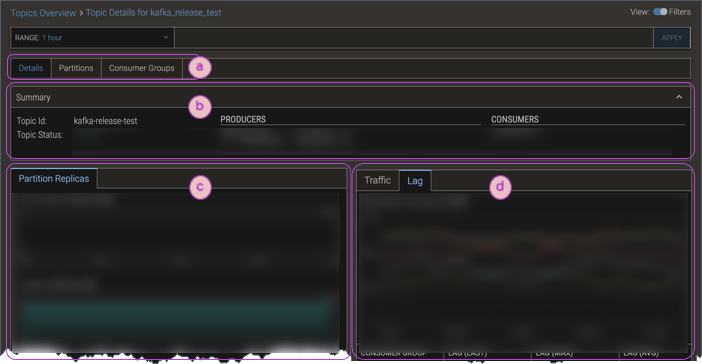
Top-level tabs provide access to sub-pages of topic details.
- The Details tab (which is what is described in this document) is the default for the Topic Details display.
- The Partitions tab shows a table of all the partitions associated with the given topic, with metrics data for each partition.
- The Consumer Groups tab shows a table of all the consumer groups associated with the given topic, with metrics data for each consumer group. To navigate to a consumer group's Consumer Group Details page, consumer group name's hyperlink.
|
| ⓑ |
The Header provides an overview of the topic—its Id, status, and summary data for its producers and consumers. |
| ⓒ |
The Partition Replicas tab shows metrics mini-charts for an at-a-glance view of the numbers of out-of-sync replicas, in-sync replicas, and so on. |
| ⓓ |
The Stats section shows additional data that is available for the topic:
- Traffic—Throughput data, and metrics charts that visually highlight the traffic levels for producers and consumers for the topic.
- Lag—Chart visualization and tabular data showing the lag for each of the topic's consumer groups.
|
